
The Resident Registration and Resident Portal features help managers collect resident information more efficiently, control which services are available, and create a more connected experience for residents through one centralised platform.
Contents
Configuring the Resident Registration
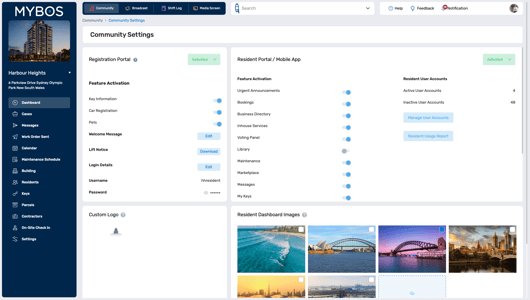
The Resident Registration Portal is separate from the Resident Portal and is primarily used for resident onboarding. Residents log in using the building’s username and password, then enter their personal details for their apartment. This provides a quicker way to collect resident information than entering it manually.
Both Resident Registration and the Resident Portal configuration live under Community > Community Settings
For a detailed walkthrough, visit our How to Set Up and Activate Resident Registration Portal article.
Configuring the Resident Portal
The Resident Portal is the platform residents use to access available services and information. The Manager controls which features are enabled and visible to residents.
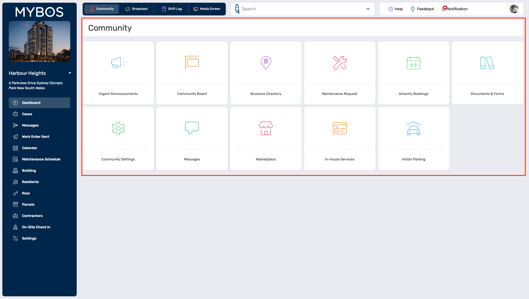
Click the provided links to view more information and in-depth set up information.
The following features can be turned on or off for residents:
- Urgent Announcements
- Amenity Bookings
- Business Directory
- In-house Services
- Voting Panel
- Documents & Forms
- Maintenance Requests (including QR Maintenance Requests)
- Marketplace
- Messages
- My Keys
- My Parcels
- Notice board
- Parking
- Staff Members
- Pets