
The Resident Library feature of MYBOS provides the Building Management with an option to make certain documents available for their community.
❗Files uploaded here are only visible to residents once they sign in to the MYBOS Portal with their secure credentials
Walkthrough
How to create a Documents folder and upload files for the Community
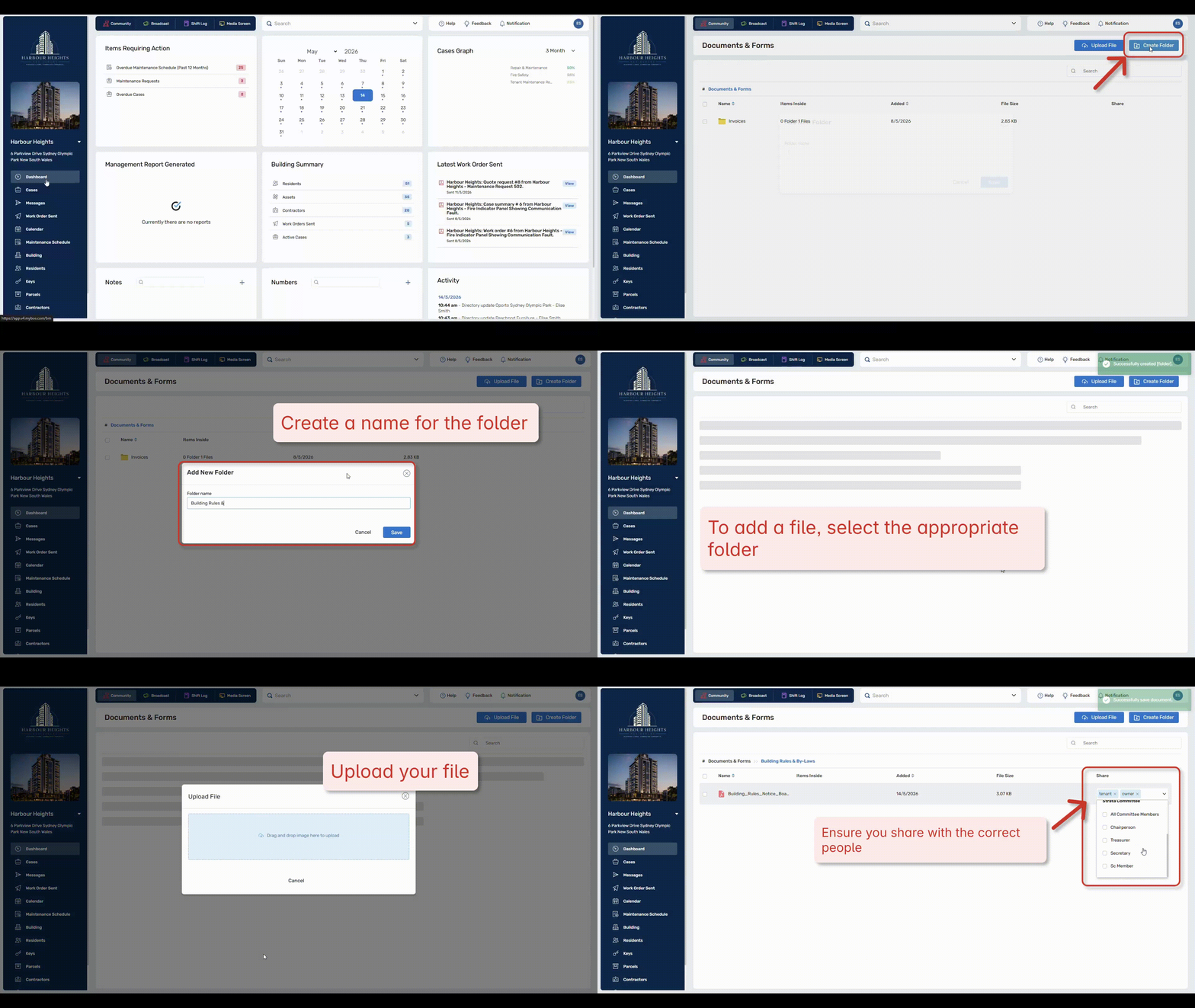
Step 1: In the Building Manager Web Portal, go to the Community tab in the top left.
Step 2: Click the Resident Library widget.
Step 3: Click Create Folder > Fill out details
Uploading Files
Step 4: To upload a file, select a folder you wish the file to be added to.
Step 5: Click "Upload File" in the top right, upload file or drag and drop.
Step 6: In the Share with dropdown menu, select who will have access to the file.
 Click to enlarge
❗Because generally Strata Committee do not have Building Manager level access to the building. The Resident Library section is the most efficient way to share building documentation with the committee.
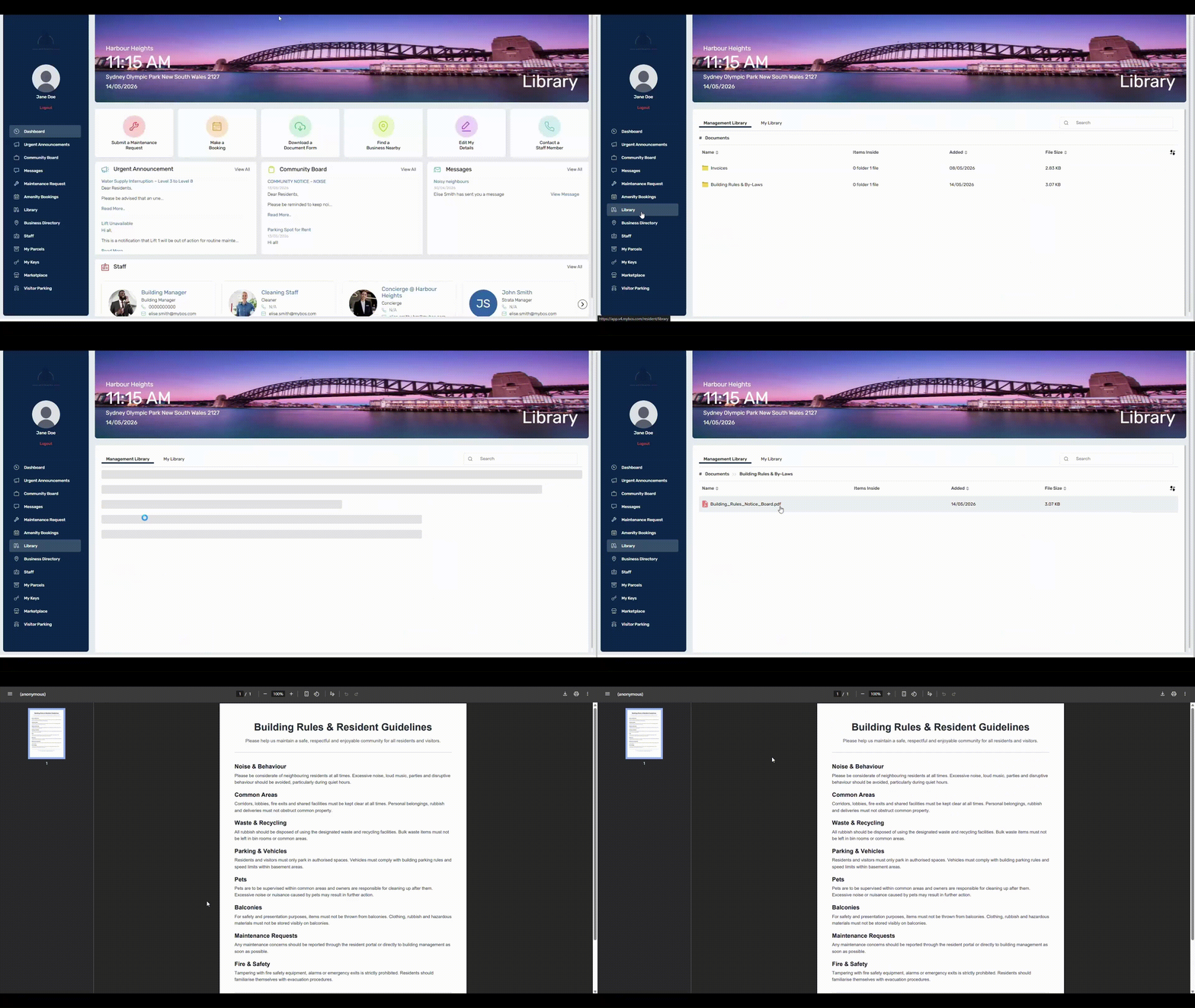
Resident View of Document Library
Residents can access the Document Library from the dashboard or the Library feature on the left panel of the Resident Portal. An example of this view is below:
 Click to enlarge
❗If you have given the wrong access to a file, simply untick the member to revoke access.
Editing Files and Folders
-
Selected: Displays the number of items you have ticked or selected
-
Download: Click to save the file/folder to your compute
-
Rename: Use this to edit or rename the file or folder
-
Delete: Click to trash the file or folder.
-
Move to: Use this option to move the file or folder to a specific folder within your Library.
-
Share: Ability to share a file or multiple files to different Resident and Committee groups
❗If you delete a file or folder, it cannot be recovered.