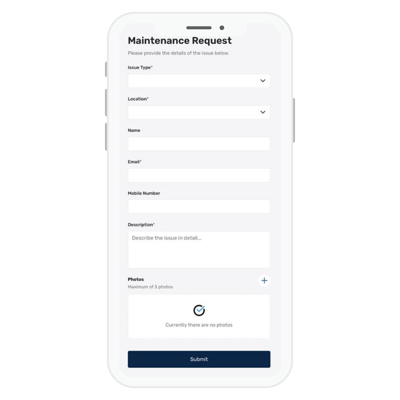
QR Maintenance Requests make it easier for residents to report issues that require attention within your building - without having to be logged into the resident portal.
How to use QR Maintenance Requests
❗ Before you start using QR Maintenance Requests, make sure your Maintenance Request categories are already set up so residents can choose the correct category when submitting a request.
Step by Step Walkthrough
Step 1: Navigate to the Building Manager Web App and click Cases in the left hand side.
Step 2: Select the Maintenance Request tab (next to Work Orders Sent)
Step 3: If you need to, configure your maintenance categories by clicking the settings icon ( ) next to the QR code button.
Step 4: Click the QR Code button, you can select "Download QR Code" (for a standalone QR code which can be pasted into your own document) or "Download PDF" (which will generate the MYBOS generic QR code flyer -- this cannot be edited as it is a PDF)
Step 5: Paste the flyer in common areas, where residents can scan and fill out details. The modal in which residents fill out details look like this: