
MYBOS includes a built-in messaging platform designed to streamline communication between residents and Building Managers.
To initiate a new chat, please follow the steps outlined below:
Sending a Message to a Resident
To begin messaging a resident, simply click on the messages feature on the left hand menu and select "New Message".
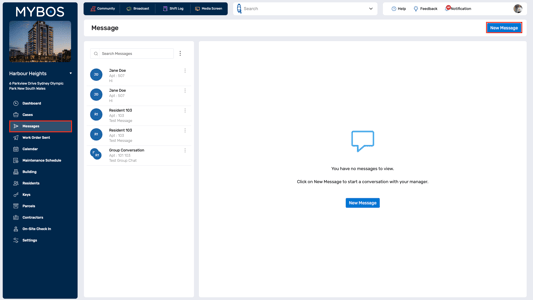
A pop-up will appear asking for the recipient details as well as the message itself. Fill in the details and click "Send". The conversation will appear in the message threads on the left panel.
💡 You can select multiple recipients to create a group conversation. Note that selecting multiple residents does not send the same message to all recipients separately but puts recipients into a group chat.
There are different options from selecting the three dots:
- This allows you to switch between inbox and archived messages.
- This allows you to Archive, Mark as Unread and Delete Conversation.
Messages feature in Resident Web Portal
As a resident you only have the ability to send messages direct to the building manager, you will not be able to message other residents, unless you are included in a group chat that the BM created.