
The building management report gives an overview of a building manager’s activities and performance for a specific property. It is typically shared with the committee or management and now includes additional reporting filters.
How to Generate a Management Report
Step by Step Walkthrough
Step 1: In the Building Manager dashboard, click on the building feature on the left side menu.
Step 2: Select the Management Report widget.
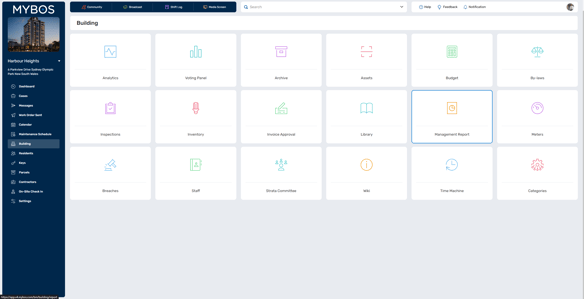
Step 3: Select the date range for the cases to be included in the report
Step 4: Build your management report by:
- Selecting the date range
- Filter by Case Type, Case Status, Companies, Priority, Assets, and Apartments.
- Select what to additionally include, such as Maintenance schedule, Case Graph, Job Area, Documents, Invoices, Quotes, Photos and Notes by using the toggle on or off slider below each option.
- Filter and sort by using the Slider (right hand side) to view and decide what to include in your report
- Select the cases you wish to include in the report using the left side check box

Step 5: Once you're done making your selection, you are able to export your report by selecting either PDF, Word Doc or Excel.
❗ Generating a PDF will make the document uneditable (except for the executive summary). If you want to add additional information to the report after it is generated, export it as a Word document.
