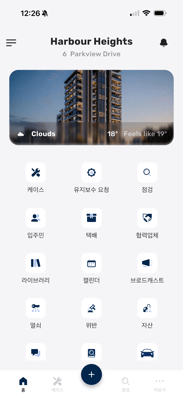
Set your preferred language in the MYBOS mobile app to make it easier to navigate menus, notifications and default text in the language you're most comfortable with.
How to Use the Language Feature
Step 1: Open the MYBOS app on your mobile device.
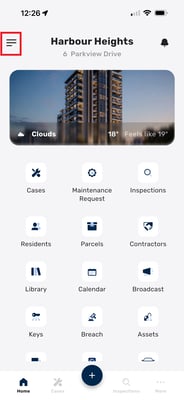
Step 2: Tap the three lines in the top left corner to open the menu.
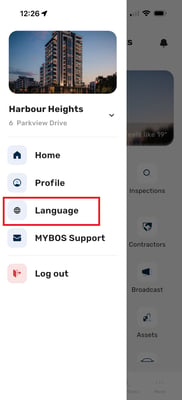
Step 3: Select Language from the menu.
Step 4: Choose your preferred language from the list.
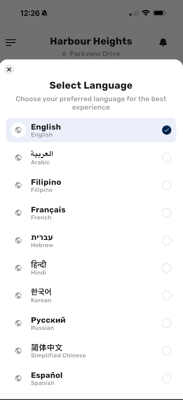
Step 5: MYBOS automatically updates all default text and menus to your chosen language — no further action needed.