If you would like to see the resident portal as a BM, simple create yourself a resident login with an alternate email address. You can create a separate apartment for staff members also.
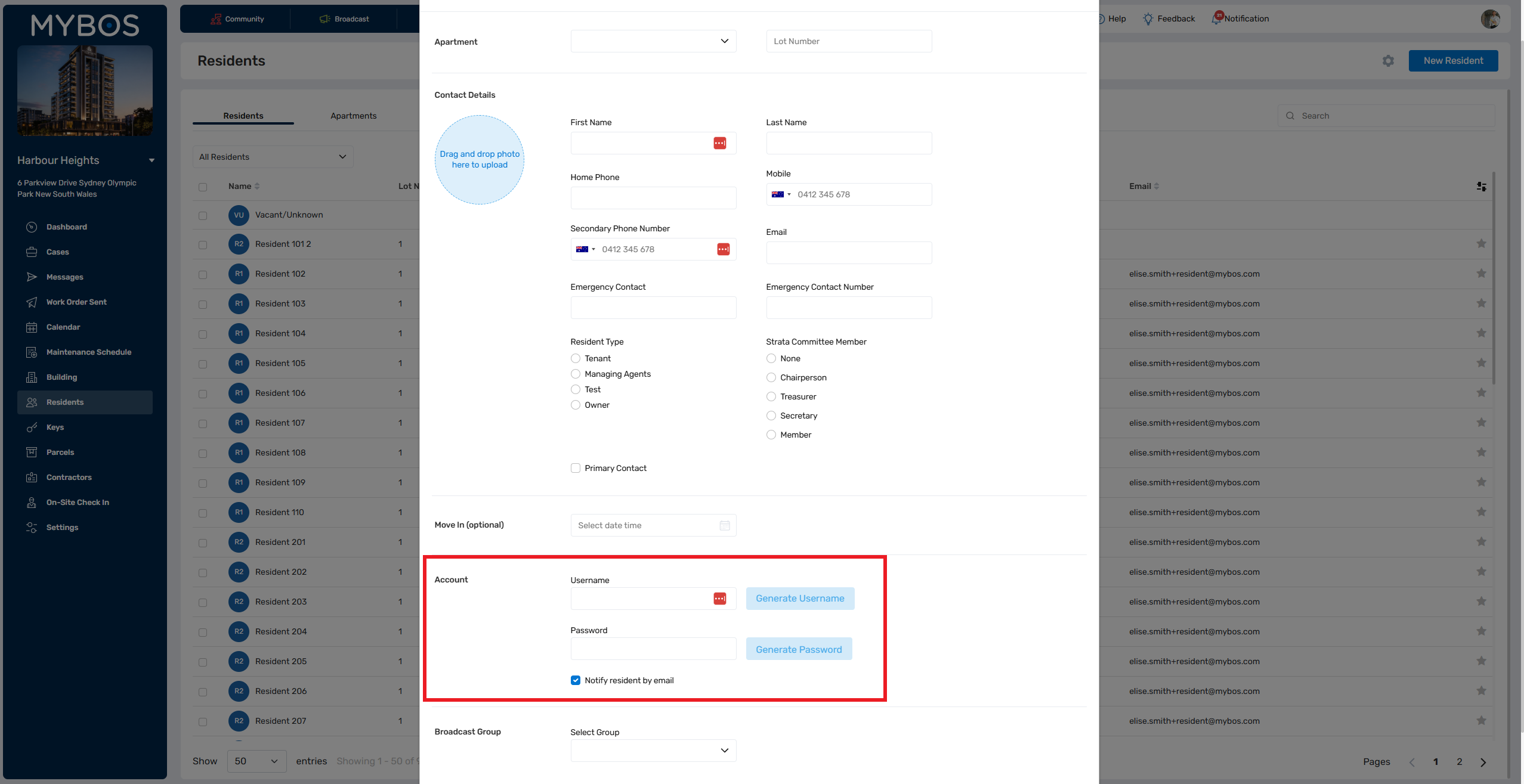
Step 1: Go the the Residents feature on the left hand side
Step 2: Under the Apartments tab, click New Apartment. Put in a number like 000 where staff logins will be (you can even put managing agents in here)
Step 3: Under the Resident tab, click New Resident. Fill in your details.
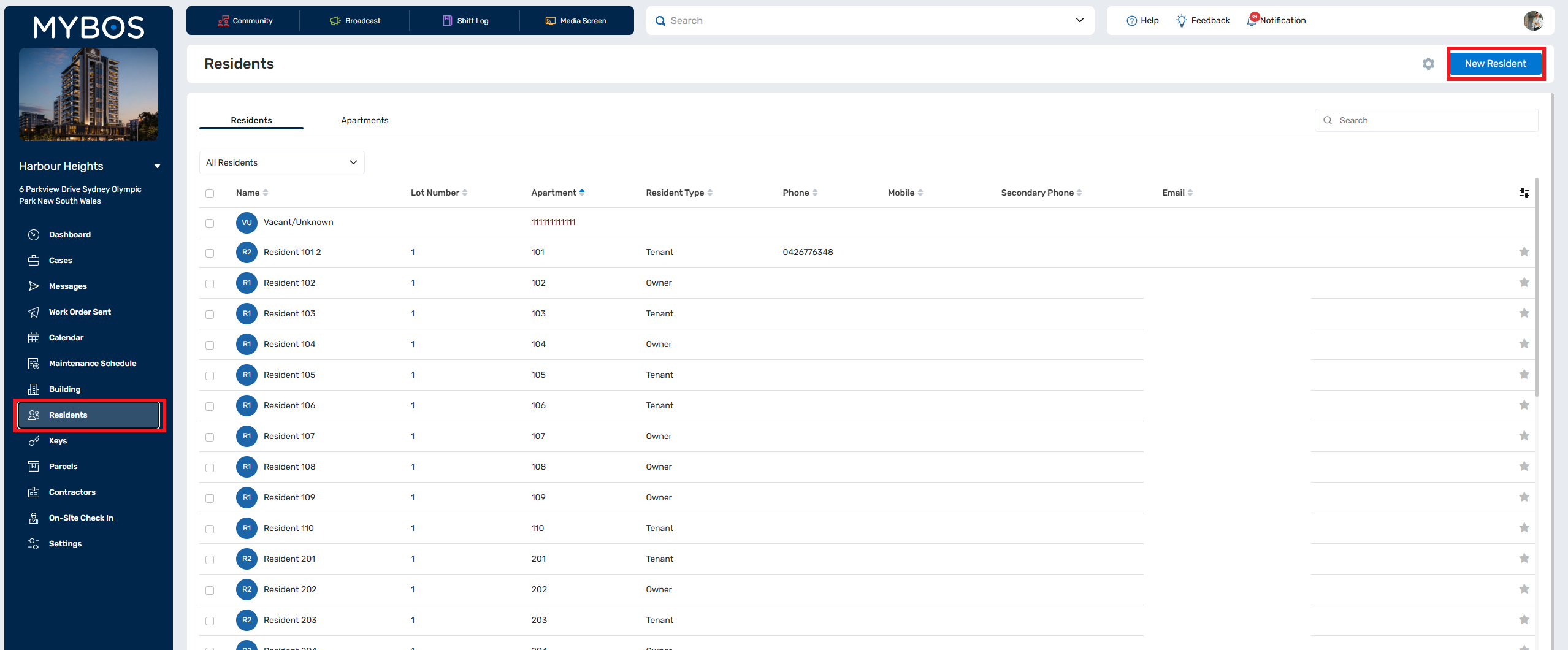
Step 4: While adding the new resident, scroll down to the resident portal section. Put in a username and password and tick the "Notify by Email" box. This will send an email for you to log in to the resident portal with.