
In the Building Manager Web Portal, you are able to create and manage building categories such as Residential, Commercial, or group buildings by area, region or Building Manager. This allows you to organise and classify your portfolio using defined criteria, making it easier to navigate, search, and filter buildings across your sites.
To create a category:
Step 1: Select the arrow next to the name of your current building
Step 2: Select "New Category"
Step 3: Add the name of your category and click save.
💡 The "Nest Under" option puts the category inside of another category.
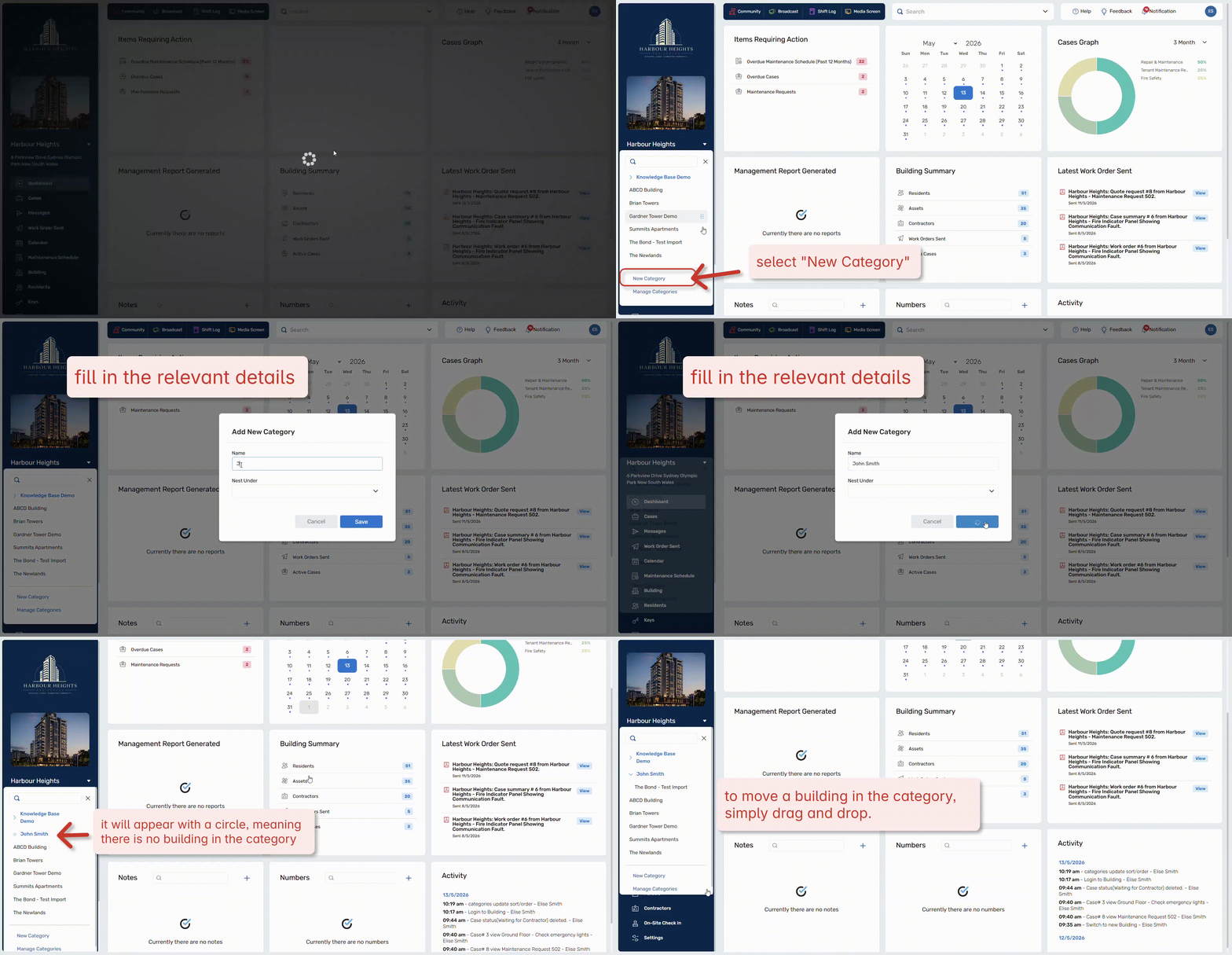 Click to enlarge
To edit a category:
Step 1: Select the arrow next to the name of your current building
Step 2: Select "Manage Categories"
Step 3: From this menu you can reorder, rename and remove categories.
.gif?hsLang=en-au) Click to enlarge
Click to enlarge