
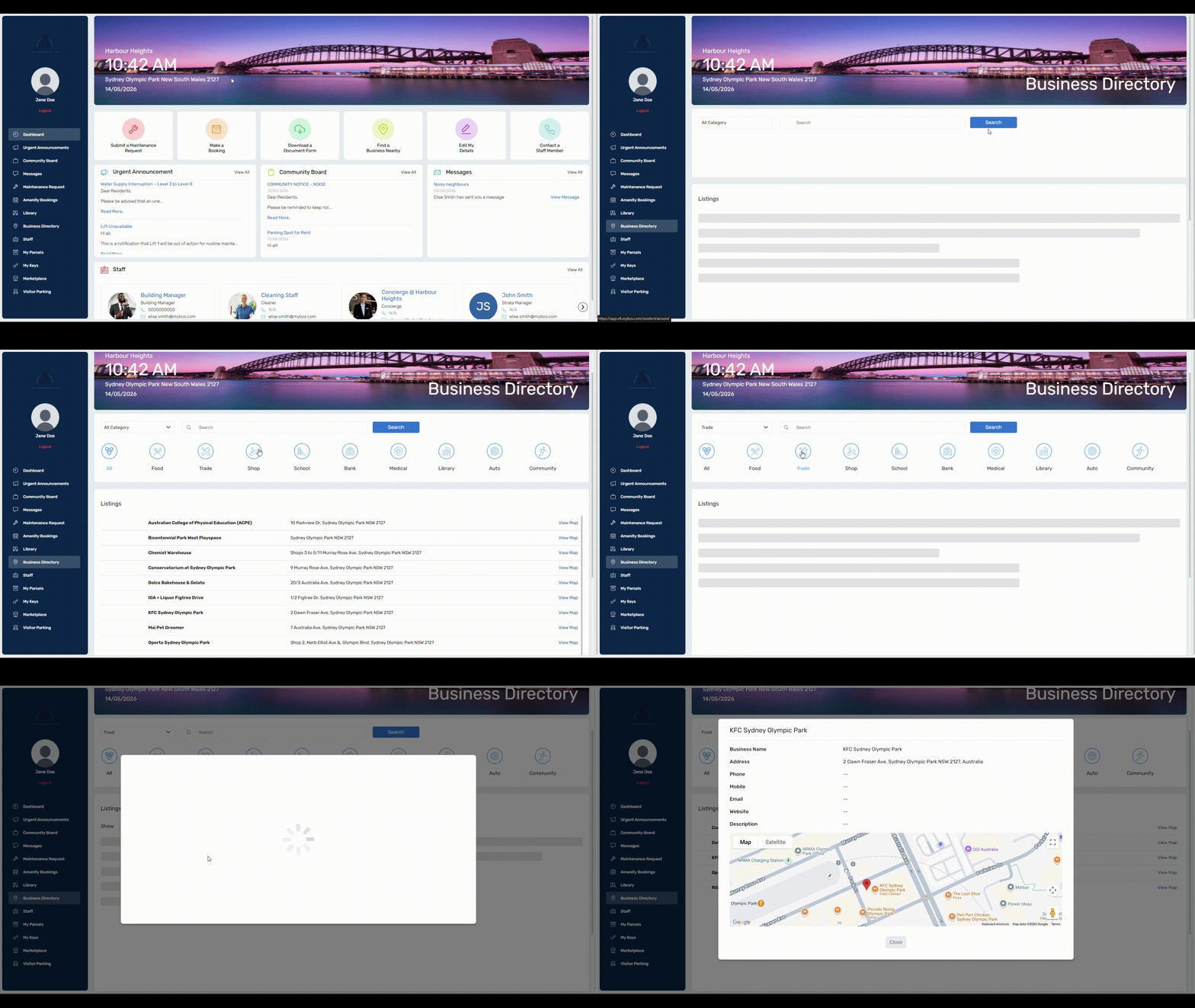
Once the residents log in to the system, they can quickly find out about any local businesses and services through this directory.
- Food
- Trade
- Shop
- School
- Bank
- Medical
- Library
- Auto
- Community
To Create a New Category
Step 1: Go to Community > Business Directory > Click the Settings menu  in the top right.
Step 2: Fill out the Category Name
Step 3: Select an Icon
Step 4: Press Save
🗒️When you go back into settings, you will see the newly created category at the top of the list.
To Add a New Business
Step 1: In the Business Directory hub, press New.
Step 2: Fill out the relevant business details, ensure that you select a Business Category.
Step 3: Input the correct address, make sure to select the address from the drop down list so it appears on the map for residents.
Step 4: Repeat process to add multiple businesses.
💡 Don’t forget to include the address and a phone number and website. This will help your building occupants locate the business.
Business Directory for Residents
Business Directory is accessible to residents in their dashboard, which can be seen below:
 Click to enlarge