
Case Types let you categorise and group similar requests so building managers can quickly see the type of work, prioritise tasks, assign the right contractors, and report on request trends across the building.
How to add or edit case type
Step 1: Go to Cases > Settings  (located next to the New Case button).
Step 2: Locate the relevant field in the drop box i.e Add or Edit Case Type.
Step 3: Enter the name of your case type > Click Add.
Step 4: Click Save.
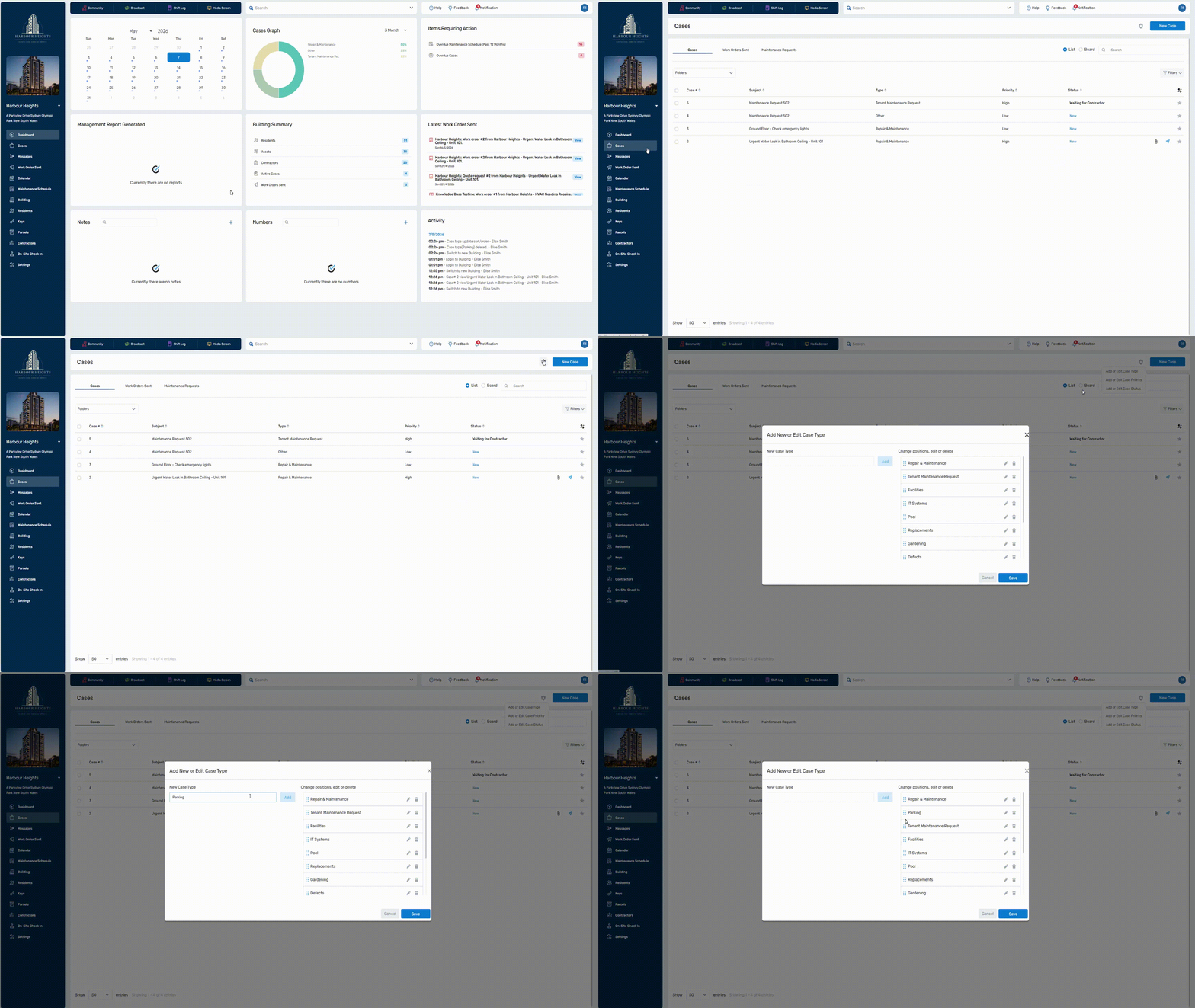
In the pop-up, you can also:
 Drag to reorder the position of case types.
  Edit pre-exisitng case type names
 Delete case types.
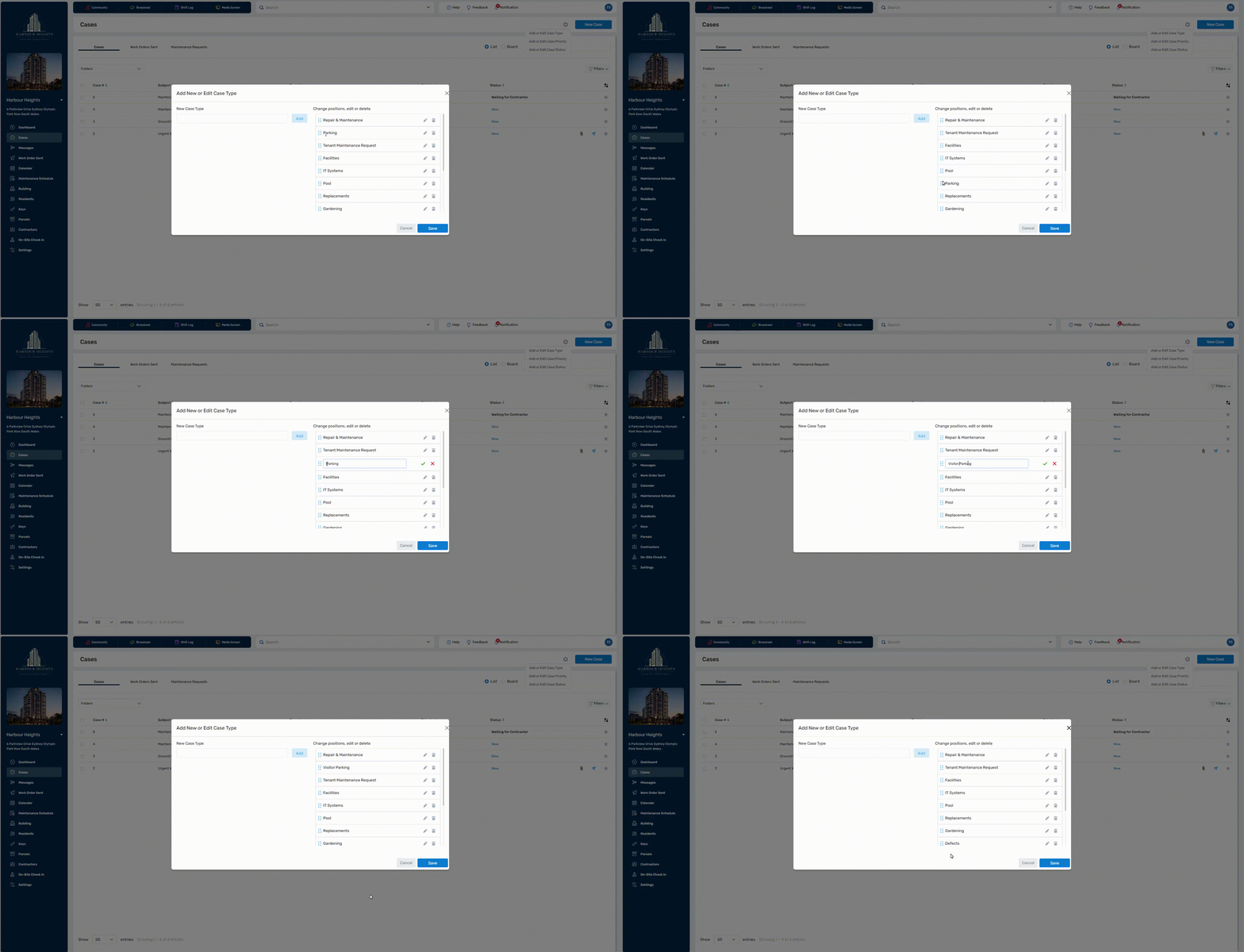 Click to enlarge
❗ Deleting an option is permanent and cannot be undone. You also cannot delete case types that are attached to cases. To delete, you will have to remove the case type from the case.