
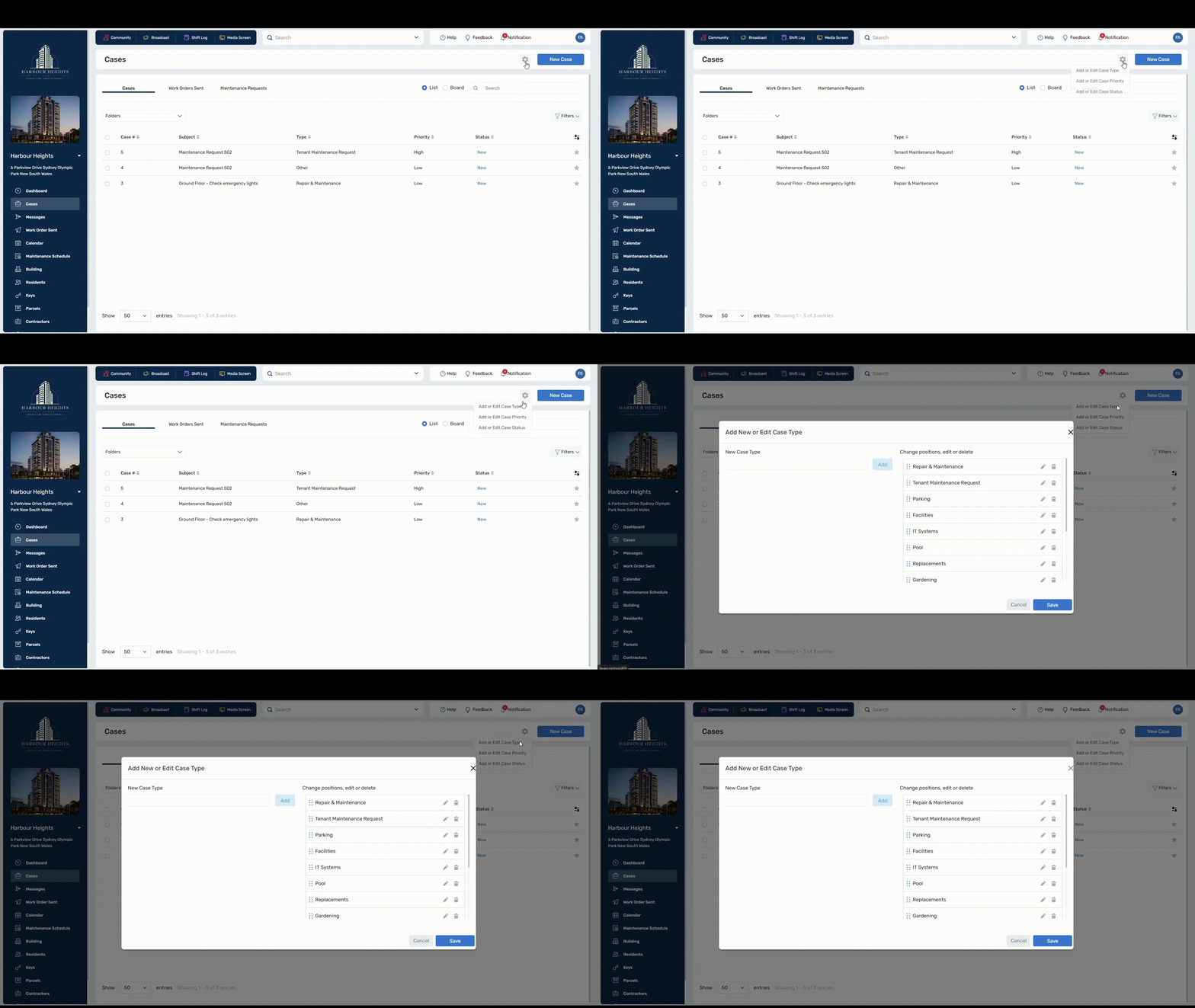
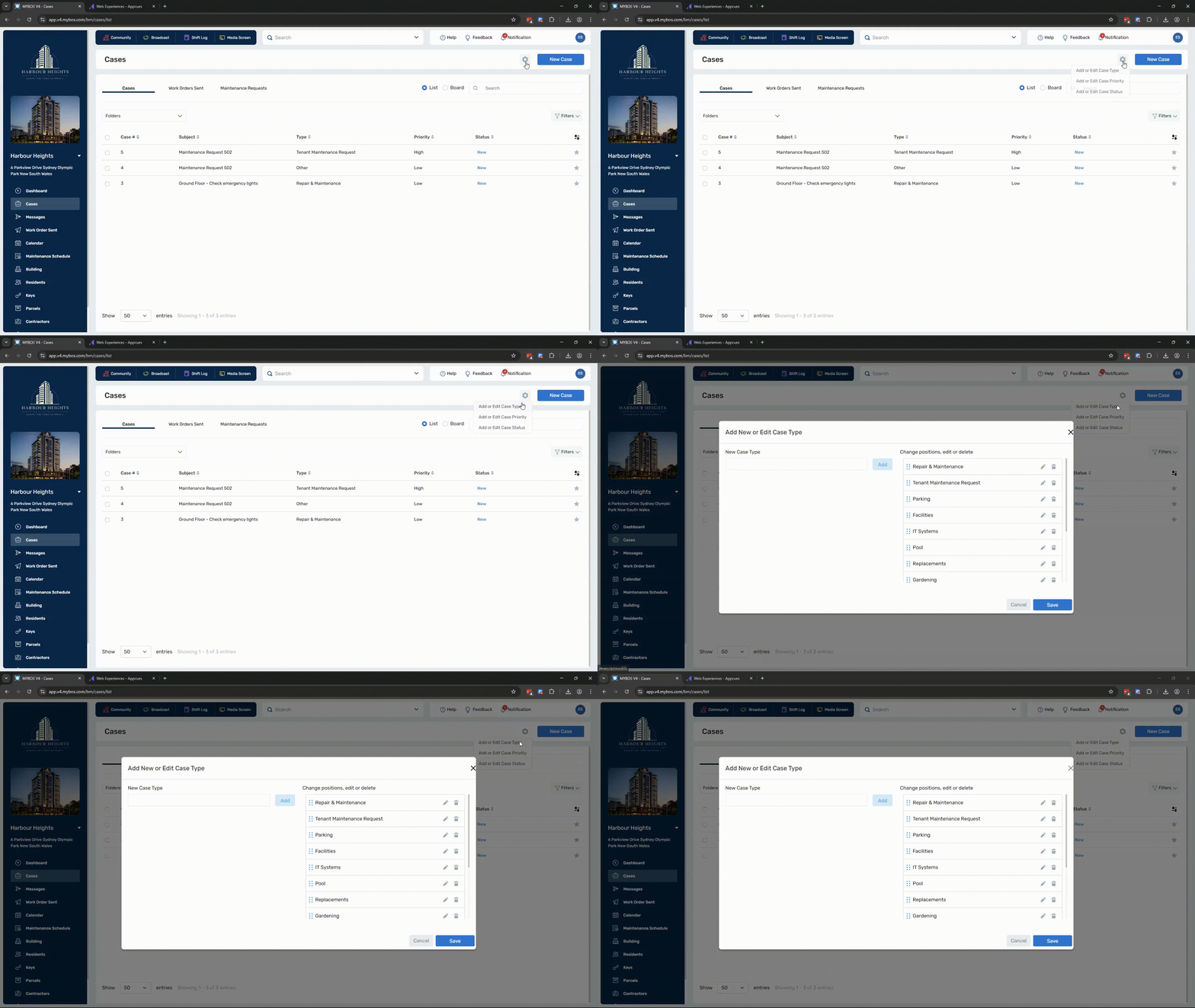
1. To add or edit a case priority, simply navigate to the settings icon (  ) next to "New Case". Then, click "add or edit case types" in the drop down menu.
 Click to enlarge
2. In this menu, you can create a new case type by entering the desired name and clicking Add. The new case type will appear on the right-hand side, where you can drag and drop to reorder which case types are displayed.
 Click to enlarge
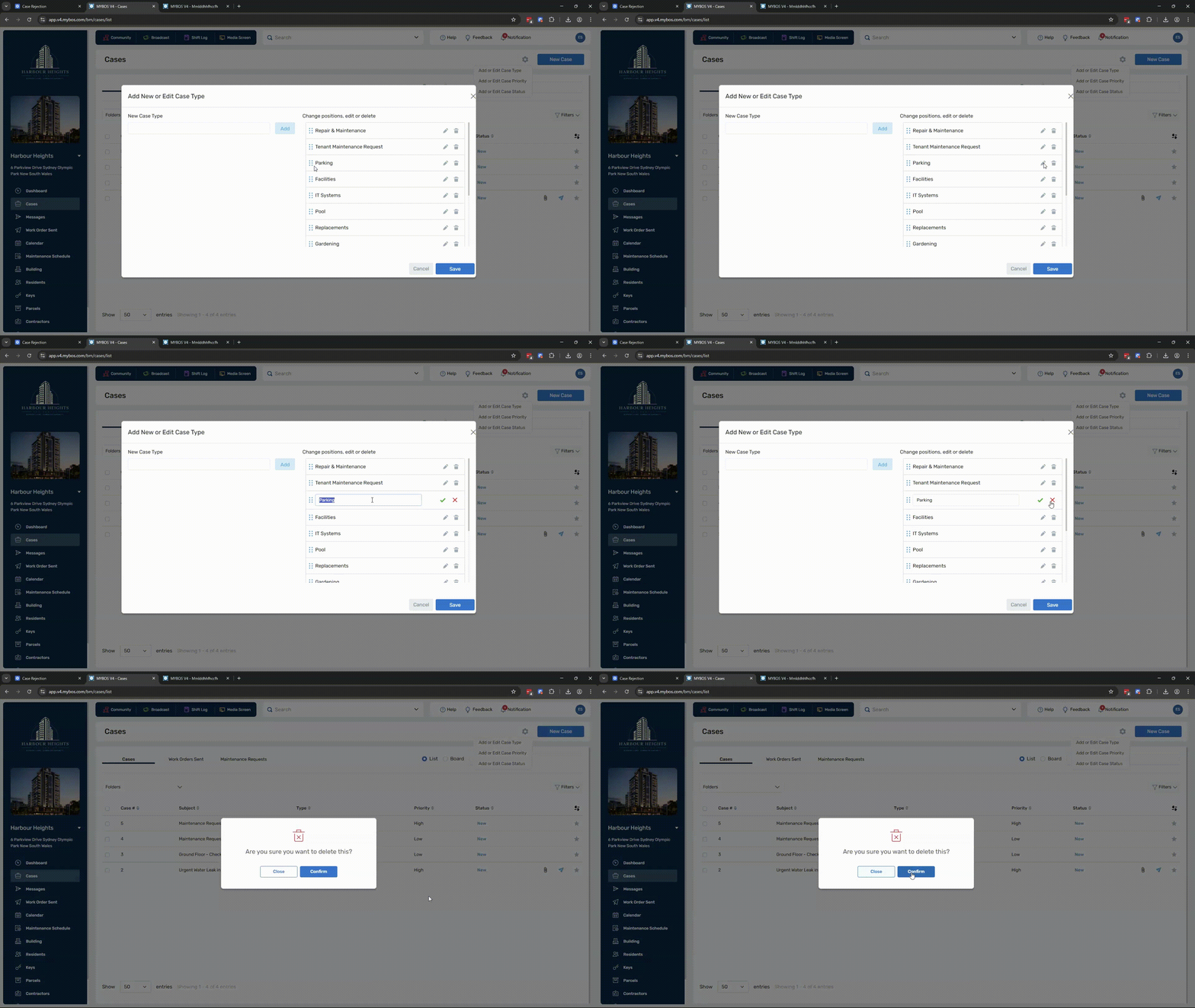
💡You can also edit existing case priorities by clicking the edit icon  , or remove them entirely by clicking the delete icon
 Click to enlarge
❗deleting a case type is permanent and cannot be undone.